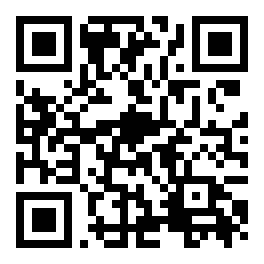
Download the kk98 App for Android in one file
The kk98 app is a 58 MB APK that runs on Android 6.0 and above. It opens your account, cashier and game lobby without a browser tab, so it loads quickly on a phone data connection.
18+ · Play Responsibly · Free download, no SMS subscription

kk98 App download: what you get before you tap
Everything below is the exact file that the download button points to. Check the version you already have on your phone before you install a second copy.
| Item | Detail |
|---|---|
| File name | kk98.apk |
| Version | 3.9.10 |
| File size | 58 MB |
| Minimum Android | Android 6.0 |
| Last updated | 21 November 2026 |
| Price | Free |
| Languages | English and Roman Urdu |
| Works on | Android phones and tablets; iPhone users follow the home screen steps below |
kk98.apk · 58 MB · version 3.9.10 · free
Download over Wi-Fi if you can. On mobile data the file costs roughly the same as watching a short video, so avoid starting it in the middle of a limited-data day.
On iPhone: add it to the home screen
There is no APK file for iPhones. Use the browser version once, then keep it one tap away.
- Open the web version in Safari.
- Tap the Share button in the toolbar.
- Choose “Add to Home Screen”, then tap Add.
The icon opens full screen, like an app. Full iPhone notes sit on the kk98 on iPhone page.
Games you can open straight from the app


Getting the APK onto an Android phone: five moves
Android blocks apps that did not come from the Play Store by default. That is the whole reason most installs fail on the first try. Allow the source once, then the rest is quick.
-
Allow installs from this source
Open Settings, tap Apps, then Special access, then Install unknown apps. Pick the browser or file manager you will download with and switch “Allow from this source” on. Android 6.0 and 7.0 put the same switch under Settings, Security, Unknown sources.
-
Download kk98.apk
Come back to the download button above and tap it once. The 58 MB file lands in your phone's Downloads folder. Keep the screen on and the Wi-Fi connected while it finishes.
-
Run the file and confirm
Tap the download notification, or open Files and tap kk98.apk. Android shows the permissions the app needs; review them, then tap Install. It takes about half a minute on a mid-range phone.
-
Turn the source permission back off
Once the app is installed, go back to Settings and switch “Allow from this source” off again. Leaving it on is the usual way people end up with junk apps they never meant to install.
-
Log in and set a PIN
Open the app and sign in, or create an account through registration if you are new. Then set a four-digit app PIN for fast reopening, and check that your JazzCash or Easypaisa number is saved in the cashier.
Already have an account but cannot get in? The steps on the login help page cover forgotten passwords and locked sessions.
What the app actually changes in your day
The kk98 app is not a stripped-down copy. It carries the same lobby, the same cashier and the same account rules; it simply removes the browser from the middle of the trip.
-
Fast reopening with a PINAfter the first sign-in you open the app with a four-digit PIN instead of typing a username and password on a small keyboard every time.
-
Cashier built into the appJazzCash, Easypaisa, NayaPay and bank transfer are all in one screen. Deposits usually land in about 6 minutes and withdrawals in about 16 minutes.
-
Sport and casino in one lobbySwitch between cricket markets and the slot and fishing rooms without leaving the app. The full 3,900-title library is there, from Pragmatic Play and Habanero to CQ9.
-
Push alerts you chooseGet a nudge when a deposit clears, a withdrawal is approved or a match you follow goes live. Each alert type can be switched off separately.
-
Bonus status on the home screenThe first-deposit bonus at 115% up to Rs 63,000 needs 9x wagering. The app shows how much turnover is left, so you are not guessing.
-
Live chat without switching tabsSupport runs 24/7 inside the app. Attach a payment screenshot in the same chat and the team can trace a delayed top-up faster.
App or browser: pick the one that fits your phone
Both routes reach the same account and the same money. The difference is how much of your phone and your data plan they use.
| What you compare | kk98 app (APK) | Browser on the phone |
|---|---|---|
| First load | Installed once, then opens in seconds | Needs a page load each visit |
| Data used | Smaller per session; the interface is already on the phone | Larger, because the page is fetched again |
| Alerts | Push notifications for deposits, withdrawals and matches | None unless you keep a tab open |
| Setting it up | 58 MB download and one permission switch | Nothing to install at all |
| Storage on the phone | Uses 58 MB plus app data | Takes no shelf space |
| Best for | Daily players who bet a few times a week | Occasional visits and shared phones |
| Updates | You install the new APK when a version is released | Happens on its own |
Choose the app if…
- you open your account most days
- you want to know the moment a withdrawal is approved
- your phone has 58 MB free and you are on Android 6.0 or newer
Stay in the browser if…
- you only log in now and then
- the phone is shared with family
- you have an iPhone, or an Android older than 6.0
The web version page explains the browser route in full.
Small memory, weak signal: making the app behave
Most phones in Pakistan are not flagships, and 4G is not always steady. These settings keep the kk98 app usable on a modest handset.
Free up 300 MB, not 58 MB
The APK is 58 MB but the app needs room to cache images and game files. Leave at least 300 MB free or the lobby will reload repeatedly and feel slow.
Do the download on Wi-Fi
Install over Wi-Fi at home or at a shop. Finishing a 58 MB download on patchy 4G is the single most common reason people get a broken file.
Turn off background game preloads
In the app settings, stop the lobby loading thumbnails for games you never play. It saves data and keeps the phone cooler during long sessions.
Use a data-saver browser mode too
If you switch between app and browser, keep Chrome's Lite mode or Data Saver on. It cuts page weight for the web version without touching your bet slip.
Close the app properly
On 2 GB phones, swipe the app away from the recent list when you finish. It frees memory and stops it drawing power in the background.
Mute sound and animation
Slot sound and heavy animations cost battery on older chips. Turn game volume down and, where a game offers it, use fast spin instead of turbo effects.
Install errors and what each one means
Match your message to the row below. Four out of five failed installs are fixed in under two minutes.
| What you see | Why it happens | What to do |
|---|---|---|
| “Install blocked” or “For your security” | The browser you downloaded with is not allowed to install apps | Settings, Apps, Special access, Install unknown apps. Allow the exact browser or file manager you used, then tap the file again. |
| “There was a problem parsing the package” | The APK is incomplete or corrupted, usually from a download that broke on mobile data | Delete the file from Downloads and download kk98.apk again on Wi-Fi. Check that the finished file shows 58 MB. |
| “Insufficient storage” | The phone has less free space than the installer needs | Clear at least 300 MB by removing old videos or unused apps, then install. The APK itself needs 58 MB before it unpacks. |
| “App not installed” with no other text | An older or differently signed copy of the app is already on the phone | Uninstall the existing kk98 app first, then install version 3.9.10 fresh. Sign-in details are not lost with the app. |
| “Your device isn't compatible” | The Android version is below 6.0 | Check the version in Settings, About phone. If it is older, use the browser version instead of the APK. |
| App opens then closes at once | Cached data from a failed first launch, or very little free memory | Settings, Apps, kk98, Storage, Clear cache. Restart the phone and open it once more before clearing data. |
Still stuck after these steps? The app install problems page goes deeper, and live chat is open around the clock.
See What the App Looks Like on Your Screen
-
Loads fast on mobile data At 58 MB the install is small. Once installed, the app skips browser overhead so the lobby opens in seconds even on a 4G connection with average signal.
-
Works on any Android 6.0 phone Version 3.9.10 runs on handsets from 2015 onwards. No high-end processor needed. Deposit with JazzCash or Easypaisa without leaving the app.
-
Push alerts for PSL matches and bonuses Opt in to notifications and the app pings you when a live cricket market opens or when a reload offer drops. You can turn this off any time in phone settings.
-
Your session stays open between visits The app remembers your login so you do not re-enter your password on every visit. Tap the icon and you land straight in your account.
Before installing, go to Settings → Security and allow installs from unknown sources. You can disable that setting again once the app is installed.
Questions we get about the kk98 app
Is the APK file safe to install?
Yes, when it comes from this page. The kk98.apk file here is the build we publish, version 3.9.10, and the download button points to it directly. Skip copies forwarded on WhatsApp or posted in groups: those can be repacked. After installing, turn the “unknown sources” permission back off.
How much data does the app use?
The download is 58 MB, once. After that the app runs lighter than the browser version because the interface is stored on the phone. A normal session of checking odds and playing a few spins uses far less than the same time in a mobile browser. Long video streams or live dealer tables are the exception.
How do I update to a newer version?
Download the new APK from this page and install it over the old one. Your account, balance and bonus progress stay on our side, so nothing is lost. If Android refuses the install, uninstall the old copy first, then install the new file and sign in again.
Can I use the app on an iPhone?
No. The file is an Android APK and iOS does not install them. iPhone users add the web version to the home screen from Safari instead, which gives a full-screen icon that behaves like an app. The three-tap steps are in the download section above.
Do deposits and withdrawals work inside the app?
Yes. The cashier supports JazzCash, Easypaisa, NayaPay and bank transfer, with the same minimums as the website: Rs 850 to deposit and Rs 500 to withdraw. Deposits normally show in about 6 minutes and withdrawals in about 16. Your first withdrawal needs a CNIC check, which takes up to 24 hours.
The app closed during the download. Do I start again?
Check the file size first. Open Downloads and see whether kk98.apk shows 58 MB. If it is smaller, the transfer stopped partway and the installer will fail with a parsing error, so delete it and download again on Wi-Fi. If it shows 58 MB, tap it and continue as normal.
Ready to put kk98 on your home screen?
The file is 58 MB, free, and takes a couple of minutes on Wi-Fi. Once it is installed, your balance, cashier and the full game lobby open in one tap.
18+ · Play Responsibly · Set your own limits before you play